
Budget Period in Portfelik: Start Your Month on Payday
Until now, a month in Portfelik always started on the 1st. Some of you told us that doesn't work when your salary arrives on, say, the 10th. The paycheck landed in one month and most of the spending from it in the next, so the statistics didn't show how your money actually moved. Budgets with carry-over had it worse, because leftovers moved on at the wrong time.
So we added a budget period. You can now pick the day your month starts on.
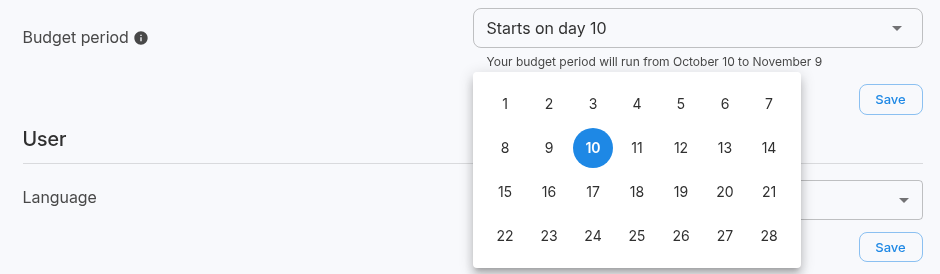
How to set it
- Open the menu in the top right corner and choose Settings.
- In the Profile section, click the Budget period field.
- Pick a day, for example 10.
- Click Save.
Right under the field you'll see what the current period looks like, for example "Your budget period will run from October 10 to November 9". You can choose any day from 1 to 28, since every month has one. If you don't change anything, it stays on day 1, a regular calendar month.
What follows the new day
- statistics and charts in reports,
- the "This month", "This year" and "Last 3, 6 and 12 months" filters,
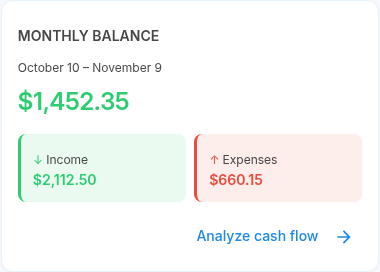
- the Monthly Balance card on the home page, which now shows the period's dates under its title,
- monthly, quarterly and yearly budgets, including carry-over.
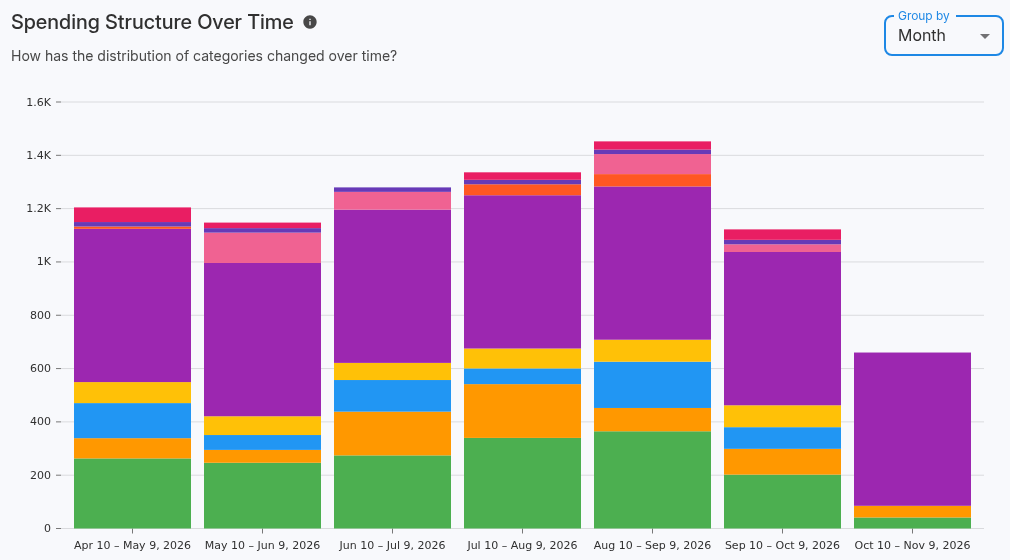
Charts label these periods with their start and end dates, so you can tell what each bar covers.
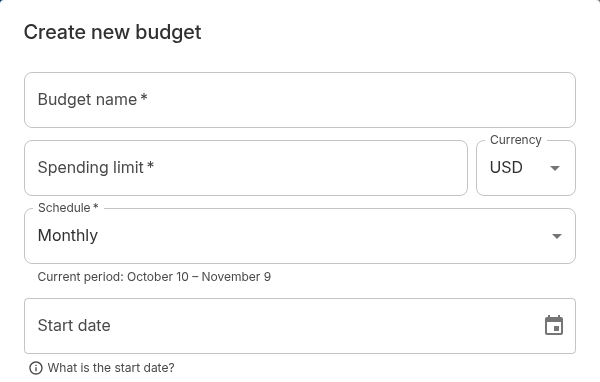
In the budget form, the current period is shown under the schedule. Below the start date there's a "What is the start date?" hint that explains when the budget starts counting expenses.
The change applies to your whole account history
When you change the day, Portfelik recalculates past periods as well, including budget history and carried-over amounts. If you switch from day 1 to day 10, the September period of a monthly budget will cover spending from September 10 to October 9.
Mobile app
You'll find the same setting in the latest version of the mobile app, under Settings as "Budget period".
Get the Android app from Google Play. If you already use it, update it to see the new setting.

Portfelik Team